
How to Stop Doom Scrolling!!!
(the exclamations are for me not for you, sorry 🙃)
One of my goals this year is to FINALLY stop just picking up my phone all the time to doom scroll!!
I realized that one reason we doom scroll is because we can’t think of another thing to do when we’re “not doing anything else” so I decided to make it easier for me to avoid just opening social media for no reason. Don’t get me wrong, I will still be on social a lot. Just actively choosing it instead of passively opening it at every small moment.
Here are some ways to hopefully stop doom scrolling that I’ve implemented:
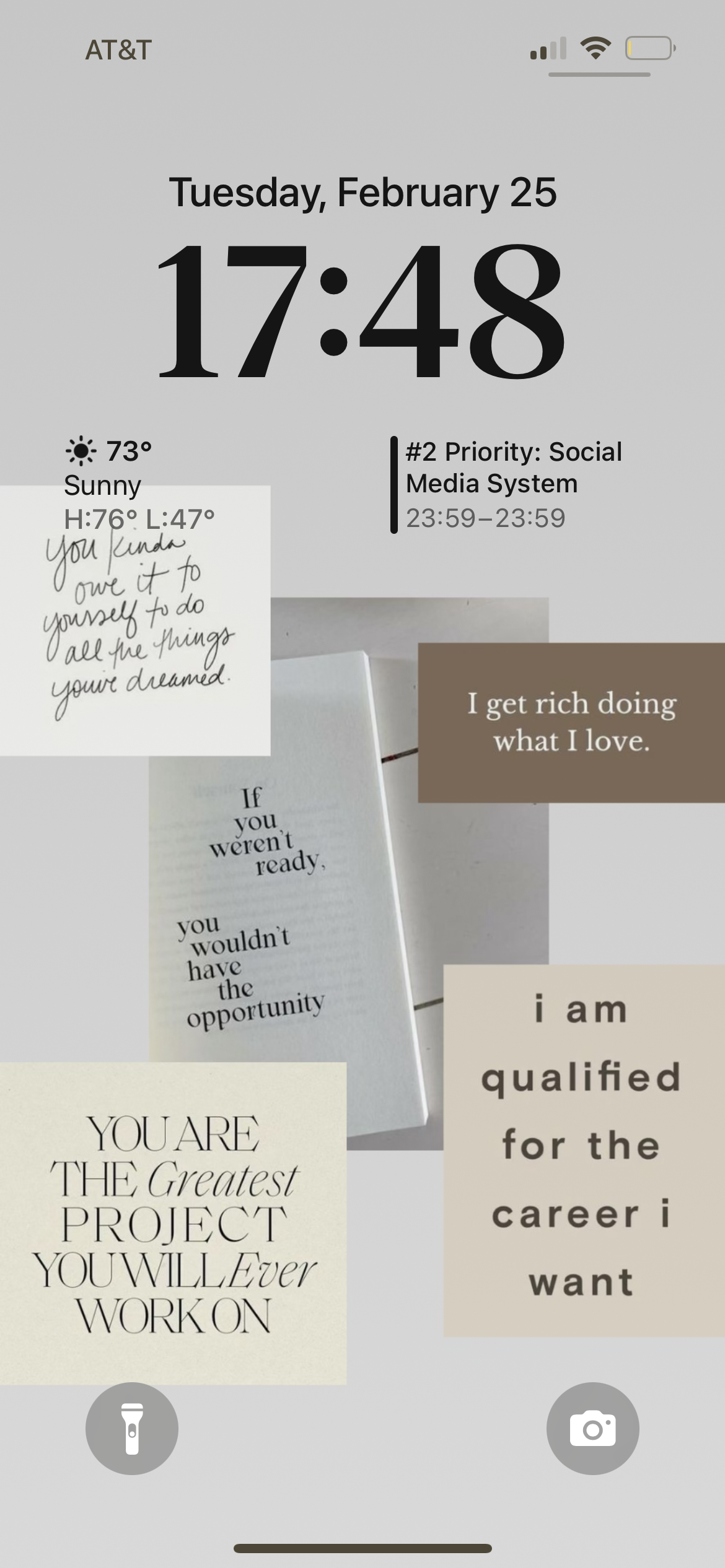
1. Create a phone wallpaper that reminds you every time you pick up your phone what you could be doing instead of scrolling on social

Here’s mine and I’ve made a Canva template so you can easily create your own!
I also added a link on my home screen to my habit tracker in my Notion Life Planner so I can easily view and check off the daily habits I’ve set
2. Move around your social apps periodically (or take them off your home screen all together) so instead of subconsciously clicking on an app, you have to actively search for it
3. Have a dopamine menu or other list of things to do that will make you happy or improve your life more than just scrolling on social
I use the Self Care section in my All-in-one Personal Life Planner Notion Template
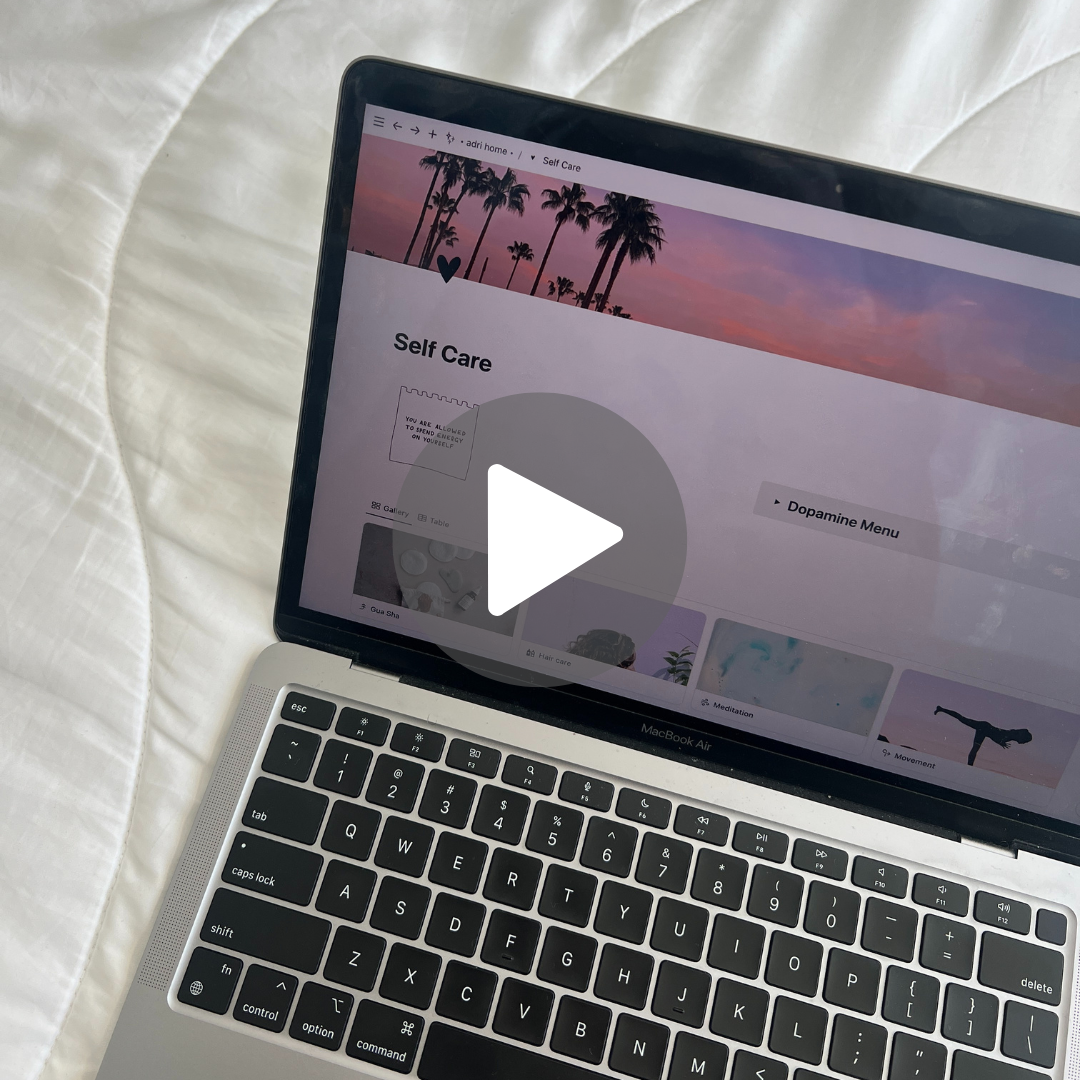
You can get the Self Care section with the All-in-one Personal Life Planner Notion Template
Includes the Self Care section along with organizing everything for your life in one place! Sections for Productivity, Travel, Food & Drink, Shopping, Entertainment, Memories, and Health
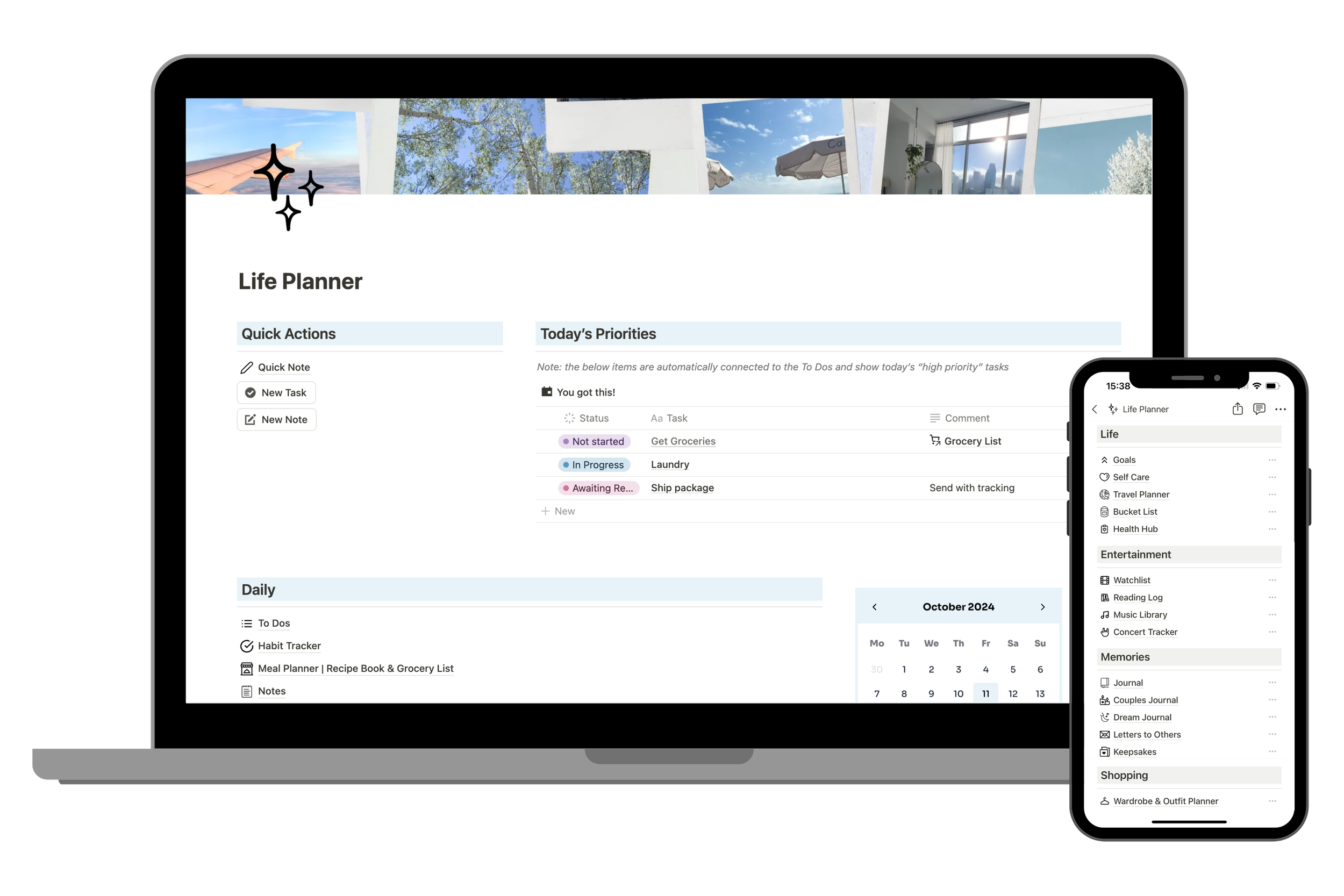
Stop getting overwhelmed with aspects of your life being in all different places. Organize everything in one space!
This fully customizable All-in-one Personal Life Planner includes 20+ setups to organize various aspects of daily life, productivity, personal growth, memories, shopping, entertainment, food & drink, and lifestyle management into a single, organized interface.
I have been perfecting this Notion setup for over 2 years and I can’t stop talking about how much Notion has changed my life 😆
Reach out if you have any questions!
FEATURES
Quick Actions & Today’s Priorities: A quick-view section for important tasks
Daily:
To Dos
Habit Tracker
Meal Planner, Recipe Book, Grocery List (also sold as a separate template here if you only want this section)
Notes
Life:
Goals
Self Care
The All-in-one Travel Planner & Journal (a bestseller! Also sold as a separate template here if you only want this section)
Bucket List
Health Hub
Entertainment:
Watchlist (also sold as a separate template here if you only want this section)
Music Library
Concert Tracker
Memories:
Journal
Couples Journal
Dream Journal
Letters to Others
Keepsakes
Shopping:
Wardrobe & Outfit Planner (also sold as a separate template here if you only want this section)
Shopping Hub
Wine Cellar & Tracker
Moodboard: A visual inspiration section with images
BONUS FEATURES:
Buttons to complete actions in one click
Resources to easily customize your template
Canva template to create your own cover
Icons, gifs, and notion resources
HOW DOES IT WORK?
You will receive an instant digital download PDF file with instructions on accessing the Notion template.
In one click, the Notion template will be added to your own Notion account.
Note: You can create a Notion account either before or after downloading a template, and it will not affect your ability to access the template.
Works on a FREE Notion plan. There are no additional fees!
PLEASE NOTE
This is a digital template that can only be accessed with Notion (it’s FREE to sign up for a personal plan here!)
No physical item is included.
You can create a Notion account either before or after downloading a template, and it will not affect your ability to access the template.
All materials are for personal use only. No part of it may be distributed, sold, or reproduced in any form without the written permission of the creator (Sincerely, Adri).
Each template purchase is subject to one user. Sharing the download link is prohibited.
All purchases for digital downloads are non-refundable or exchangeable.
4. Turn on the focus settings on your phone. Only allow certain notifications and create custom home screens
I created my own custom app icons too cause I’m extra 🙃
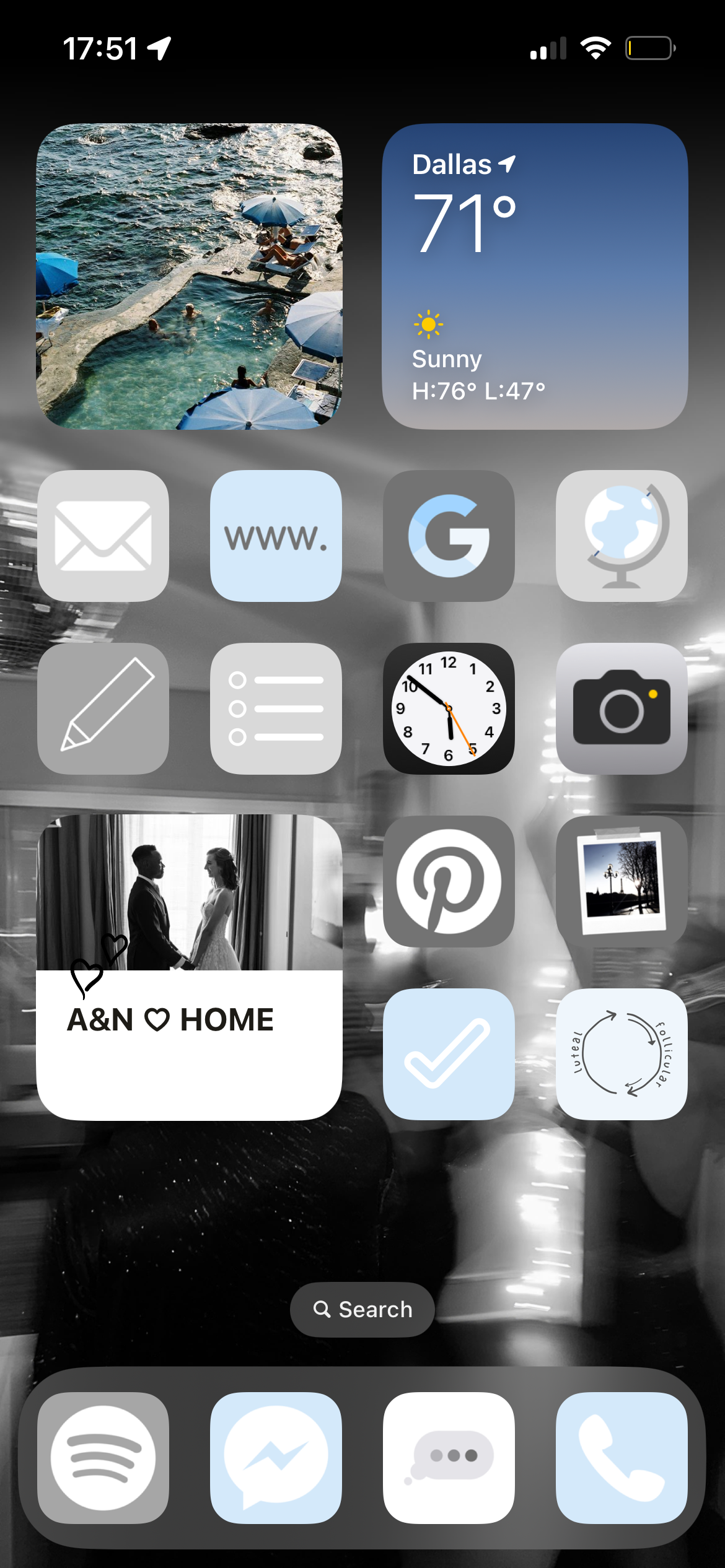
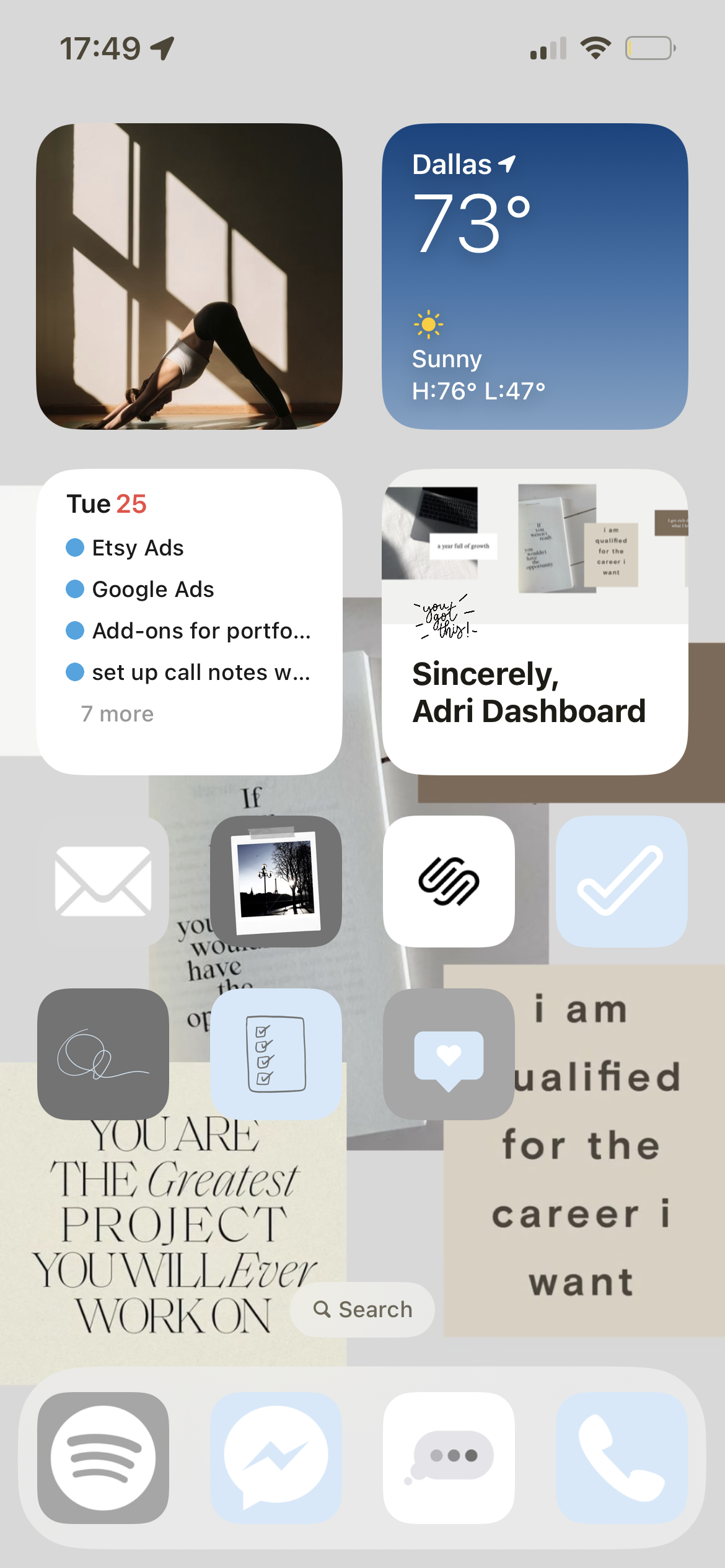
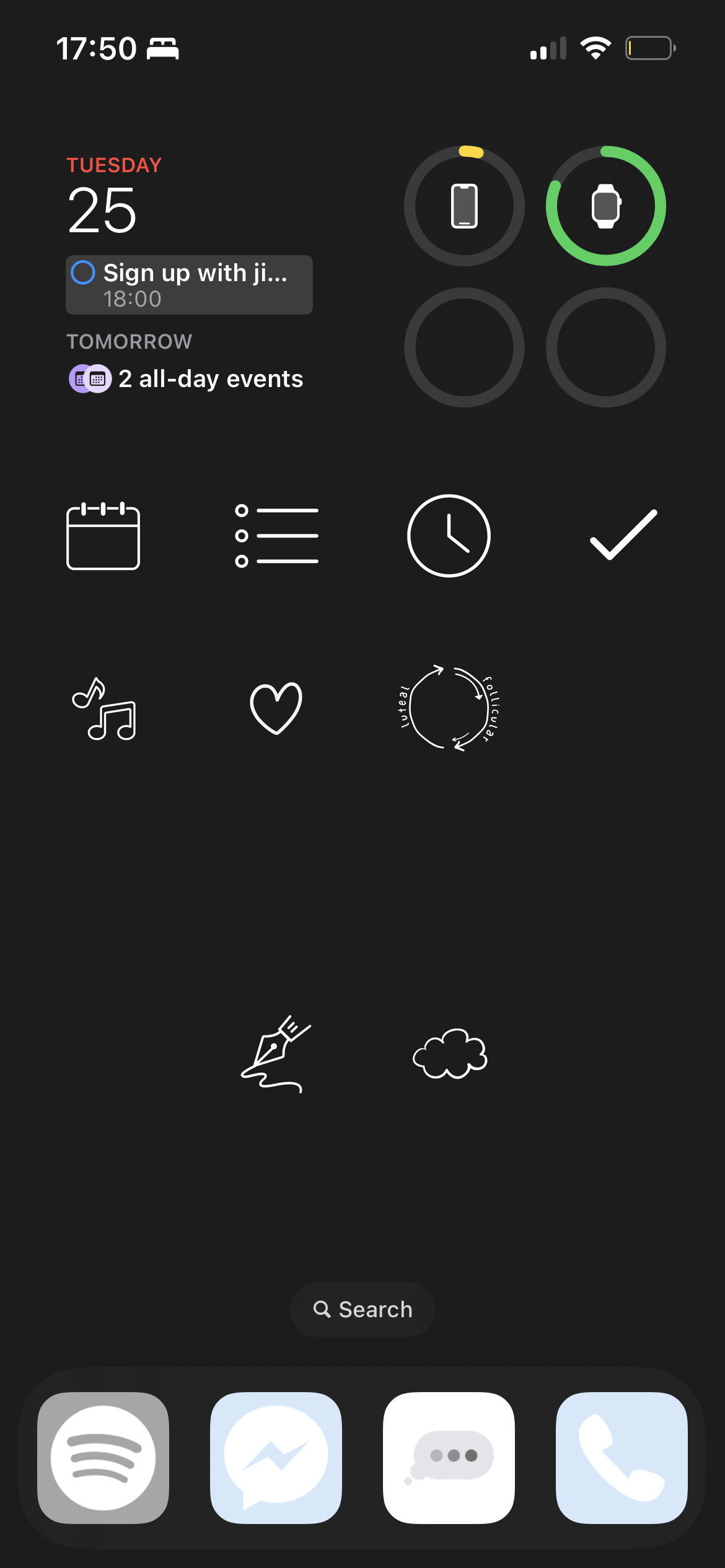
5. If you feel like scrolling, try to prioritize opening apps that don’t make you feel as bad afterwards (ex: Pinterest, Substack, or Deepstash)
Obviously another solve is to delete apps altogether, but that’s not too realistic
Even with all of these in place, I still doom scroll…but I try to limit it and not be too hard on myself
Get the Self Care section with the All-in-one Personal Life Planner Notion Template
Includes the Self Care section along with organizing everything for your life in one place! Sections for Productivity, Travel, Food & Drink, Shopping, Entertainment, Memories, and Health
Stop getting overwhelmed with aspects of your life being in all different places. Organize everything in one space!
This fully customizable All-in-one Personal Life Planner includes 20+ setups to organize various aspects of daily life, productivity, personal growth, memories, shopping, entertainment, food & drink, and lifestyle management into a single, organized interface.
I have been perfecting this Notion setup for over 2 years and I can’t stop talking about how much Notion has changed my life 😆
Reach out if you have any questions!
FEATURES
Quick Actions & Today’s Priorities: A quick-view section for important tasks
Daily:
To Dos
Habit Tracker
Meal Planner, Recipe Book, Grocery List (also sold as a separate template here if you only want this section)
Notes
Life:
Goals
Self Care
The All-in-one Travel Planner & Journal (a bestseller! Also sold as a separate template here if you only want this section)
Bucket List
Health Hub
Entertainment:
Watchlist (also sold as a separate template here if you only want this section)
Music Library
Concert Tracker
Memories:
Journal
Couples Journal
Dream Journal
Letters to Others
Keepsakes
Shopping:
Wardrobe & Outfit Planner (also sold as a separate template here if you only want this section)
Shopping Hub
Wine Cellar & Tracker
Moodboard: A visual inspiration section with images
BONUS FEATURES:
Buttons to complete actions in one click
Resources to easily customize your template
Canva template to create your own cover
Icons, gifs, and notion resources
HOW DOES IT WORK?
You will receive an instant digital download PDF file with instructions on accessing the Notion template.
In one click, the Notion template will be added to your own Notion account.
Note: You can create a Notion account either before or after downloading a template, and it will not affect your ability to access the template.
Works on a FREE Notion plan. There are no additional fees!
PLEASE NOTE
This is a digital template that can only be accessed with Notion (it’s FREE to sign up for a personal plan here!)
No physical item is included.
You can create a Notion account either before or after downloading a template, and it will not affect your ability to access the template.
All materials are for personal use only. No part of it may be distributed, sold, or reproduced in any form without the written permission of the creator (Sincerely, Adri).
Each template purchase is subject to one user. Sharing the download link is prohibited.
All purchases for digital downloads are non-refundable or exchangeable.
